
Navitop Shop Product Manuals
Procedures for Pypilot configuration, saving and restoring settings and calibration
Saving settings and calibration
Links to download the Tinypilot image with the latest stable version of Pypilot (0.56)
- Sean's beta image with Pypilot V0.71 and tinycore 16 who works with all Raspberry
- Navitop image for Pi Zero 2W (tinypilot13-20260227.zip) with Stellian's image (tinycore13) enhanced with Sean's parameter and gain sets
Navitop Shop Product Schematic
DIY Pypilot Tinypilot calculator schematic
This diagram shows how to build your own Pypilot autopilot computer. The minimum configuration required is a Pi Zero W connected to an IMU module and a motor controller. The diagram also shows how to connect an LCD display, an NMEA interface, or a keyboard.
This diagram shows how to build your own Pypilot autopilot computer. The minimum configuration required is a Pi Zero W connected to an IMU module and a motor controller. The diagram also shows how to connect an LCD display, an NMEA interface, or a keyboard.
STL files for 3D printing (ASA or PETG)
Motor protection for Chinese linear actuator
6mm pin adaptater for Chinese linear actuator
Adaptation des contrôleurs de moteur Pypilot à des actionneurs particuliers
6mm pin adaptater for Chinese linear actuator
Adaptation des contrôleurs de moteur Pypilot à des actionneurs particuliers
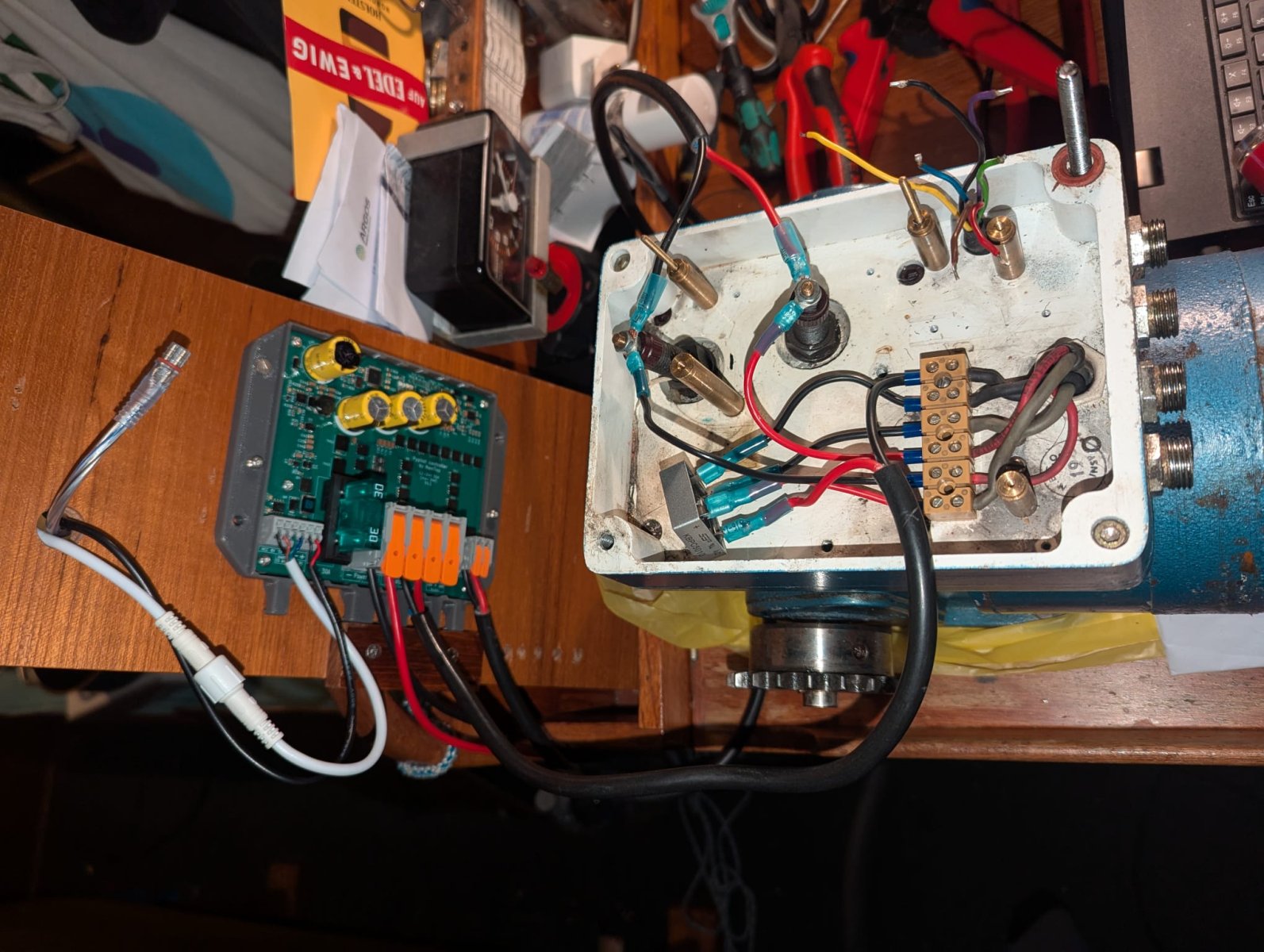
Adaptation of a 30A motor controller to a NECO 17DR8 or 35DR8 actuator
Photo of a 30A adaptation to a NECO actuator
Adaptation of a 30A motor controller to a NECO 17DR8 or 35DR8 actuator - Version B with 6-conductor cable
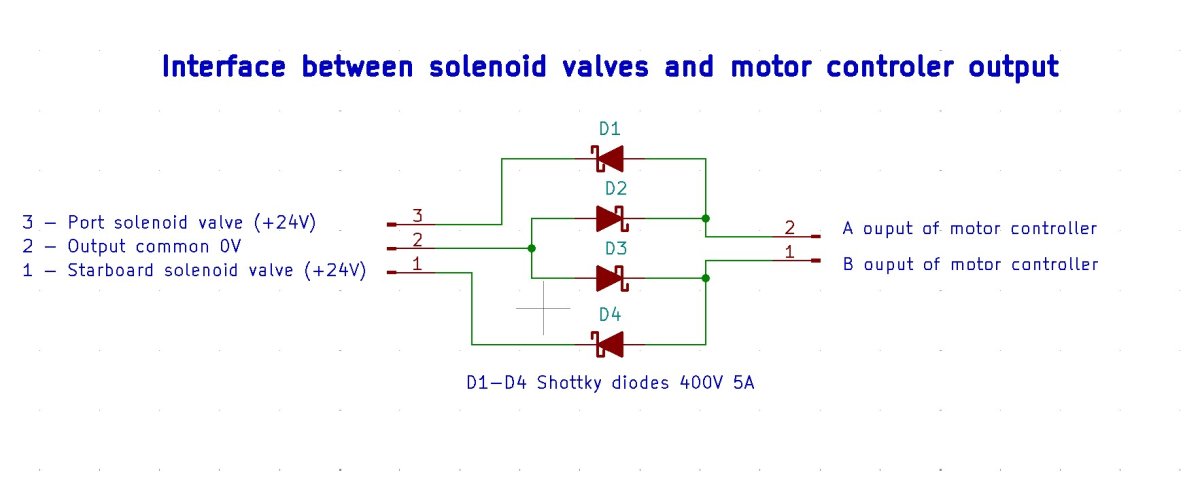
Adaptation of a Pypilot motor controller to the solenoid valves of a hydraulic power unit
Other links
Official pypilot website of Sean d'Epagnier
Pypilot user manual This manual focuses primarily on using pypilot with the tinypilot image and a Pi Zero dedicated exclusively to autopilot, as originally designed for stable and power-efficient operation. This configuration, similar to the one offered in stores, nevertheless offers numerous control and communication options with applications in software suites running on a separate Pi 4 or 5.
Pypilot Workbook This guide is essential if you want to run pypilot with Openplotter or BBN on a Pi 4 or 5 and want to explore tinypilot in depth. It helps you understand the interactions between the applications and how to configure the Pi, pypilot, and these applications.
Adaptation of a Pypilot motor controller to the solenoid valves of a hydraulic power unit
Other links
Official pypilot website of Sean d'Epagnier
Pypilot user manual This manual focuses primarily on using pypilot with the tinypilot image and a Pi Zero dedicated exclusively to autopilot, as originally designed for stable and power-efficient operation. This configuration, similar to the one offered in stores, nevertheless offers numerous control and communication options with applications in software suites running on a separate Pi 4 or 5.
Pypilot Workbook This guide is essential if you want to run pypilot with Openplotter or BBN on a Pi 4 or 5 and want to explore tinypilot in depth. It helps you understand the interactions between the applications and how to configure the Pi, pypilot, and these applications.